
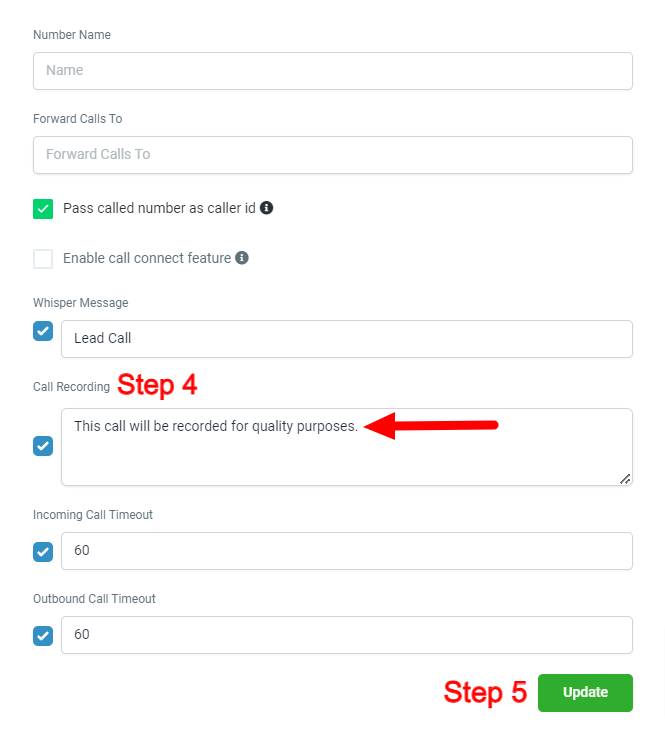
 1. Go to Settings.2. Click on Phone Numbers.
3. Click on the pencil icon to the right of the Default Outbound Number.
4. Under Call recording, remove the message "This call will be recorded for quality purposes." and replace it with just a space by pressing the space bar on your keyboard. Adding the space and leaving the green check mark on will still record all calls. *
5. Scroll down and click the Update button.
*If you remove this feature, you acknowledge that you are responsible for any verbal disclosures that are required at the local, state, and/or federal level.