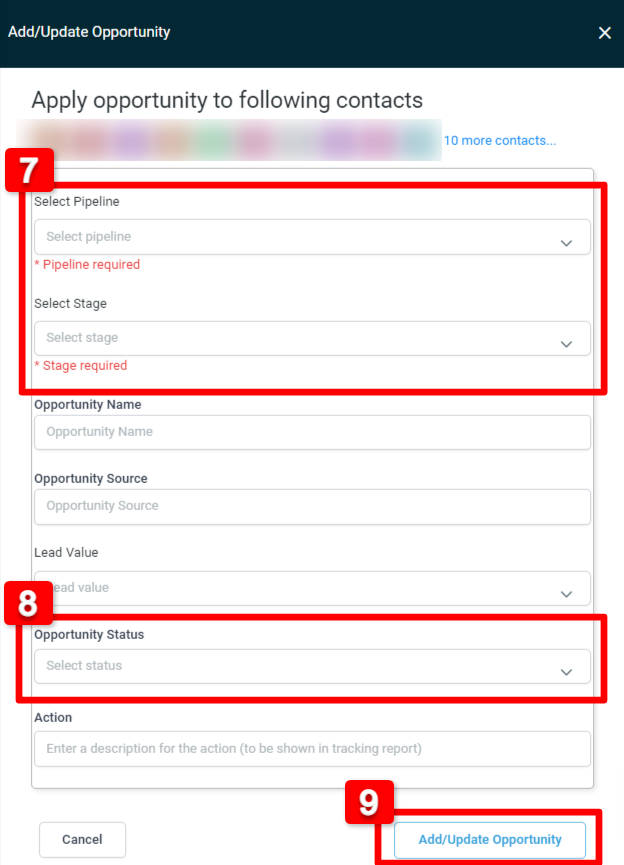
2. Click More Filters
3. Choose Pipeline Stage
4. Choose the correct Pipeline Name and Pipeline Stage
5. Select all the contacts you want to move
6. Click the Funnel Icon above (Pipeline Change)
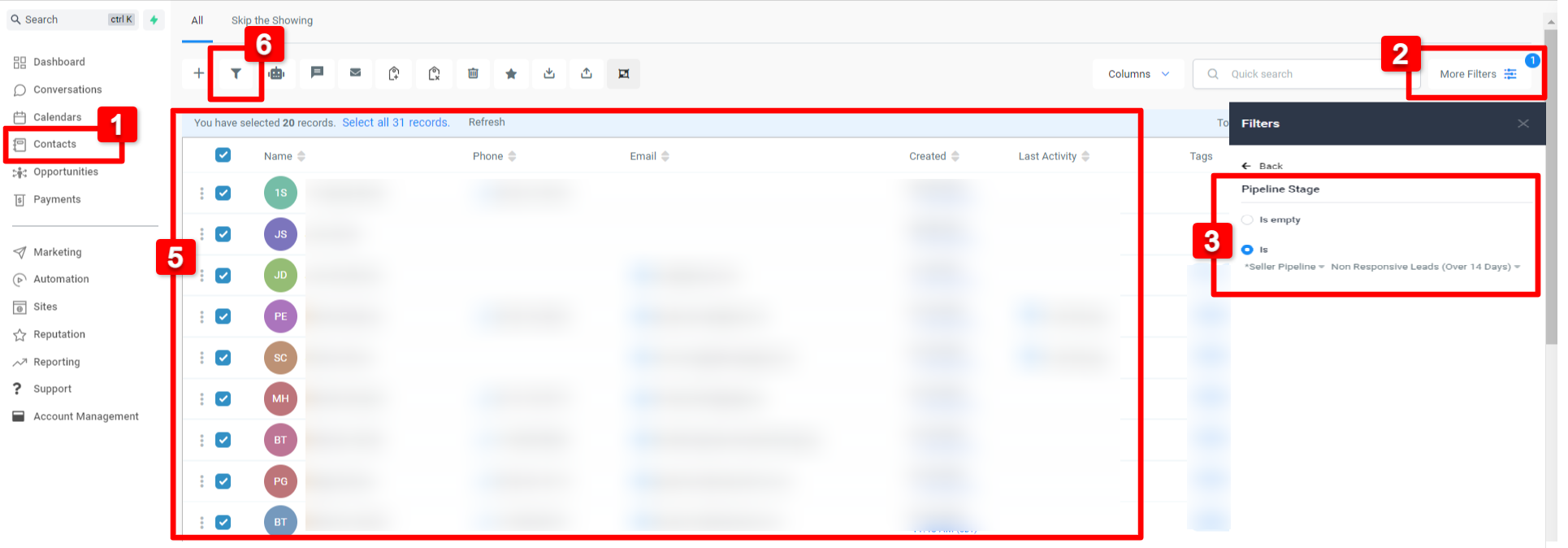 7. On the new window that will open, choose the correct Pipeline Name & Pipeline Stage
8. Choose the Opportunity Status where you want to move the contacts
9. Click Add/Update Opportunity