Carriers are becoming increasingly sensitive to spam and AUP enforcement when it comes to SMS and Calls. To keep spamming in check and to protect the end customer (leads/contacts) they have created various regulations & compliance frameworks.
Below are the steps to Register your Business Profile:
The following fields need to be filled out to move forward with Trust Center Products.
Business Information
Legal Business Name
Business Physical Address (Street Address, City, State/Province/Region, Postal Code, Country)
Business Type (Sole Proprietorship/Partnership/Corporation /Co-Operative/LLC/Non-Profit)
Business Registration Number/Tax EIN and Type (DUNS or Business License)
Industry
Website
Regions of Operations
Authorized Representative
Name
Email
Title
Phone Number
Job Position (Director/VP/GM/General Counsel/CEO/CFO)
Please note:
If you have a US entity or an International Tax ID, use EIN to register your business profile and to avoid brand registration failures. Do not use a DUNS number.
1. Create a Business Profile in Trust Center
Within the Trust Hub, create your Business Profile. This step validates your business identity. You will only need to do this once.
Please fill in the following information:
Please Note:
The submission may take up to 72 hours for approval. Make sure to review your business profile information before submitting it.
If any of the required information is missing before submission you will receive an error message.
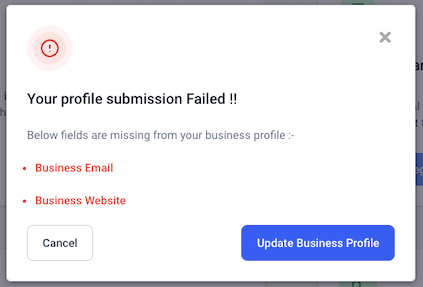
Click on the "Update Business Profile" to directly move to the Business Profile page and update the missing fields.
Once all the details are filled in, click on "Submit for Review", it will process and submit the registration details.
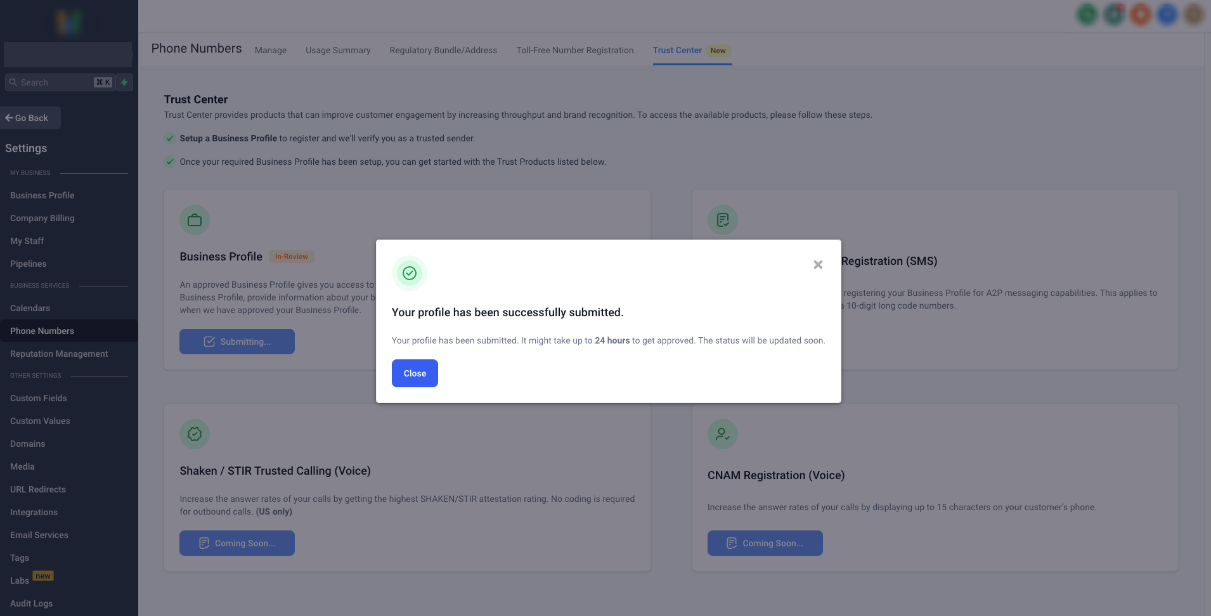
The status will be changed to "In-Review" and you will get a confirmation that "Your profile has been successfully submitted".
Below is an example of a successful submission:
Carriers are becoming increasingly sensitive to spam and AUP enforcement when it comes to SMS and Calls. To keep spamming in check and to protect the end customer (leads/contacts) they have created various regulations & compliance frameworks.
Below are the steps to Register your Business Profile:
The following fields need to be filled out to move forward with Trust Center Products.
Business Information
Legal Business Name
Business Physical Address (Street Address, City, State/Province/Region, Postal Code, Country)
Business Type (Sole Proprietorship/Partnership/Corporation /Co-Operative/LLC/Non-Profit)
Business Registration Number/Tax EIN and Type (DUNS or Business License)
Industry
Website
Regions of Operations
Authorized Representative
Name
Email
Title
Phone Number
Job Position (Director/VP/GM/General Counsel/CEO/CFO)
Please note:
If you have a US entity or an International Tax ID, use EIN to register your business profile and to avoid brand registration failures. Do not use a DUNS number.
1. Create a Business Profile in Trust Center
Within the Trust Hub, create your Business Profile. This step validates your business identity. You will only need to do this once.
Please fill in the following information:
Please Note:
The submission may take up to 72 hours for approval. Make sure to review your business profile information before submitting it.
If any of the required information is missing before submission you will receive an error message.

Click on the "Update Business Profile" to directly move to the Business Profile page and update the missing fields.
Once all the details are filled in, click on "Submit for Review", it will process and submit the registration details.
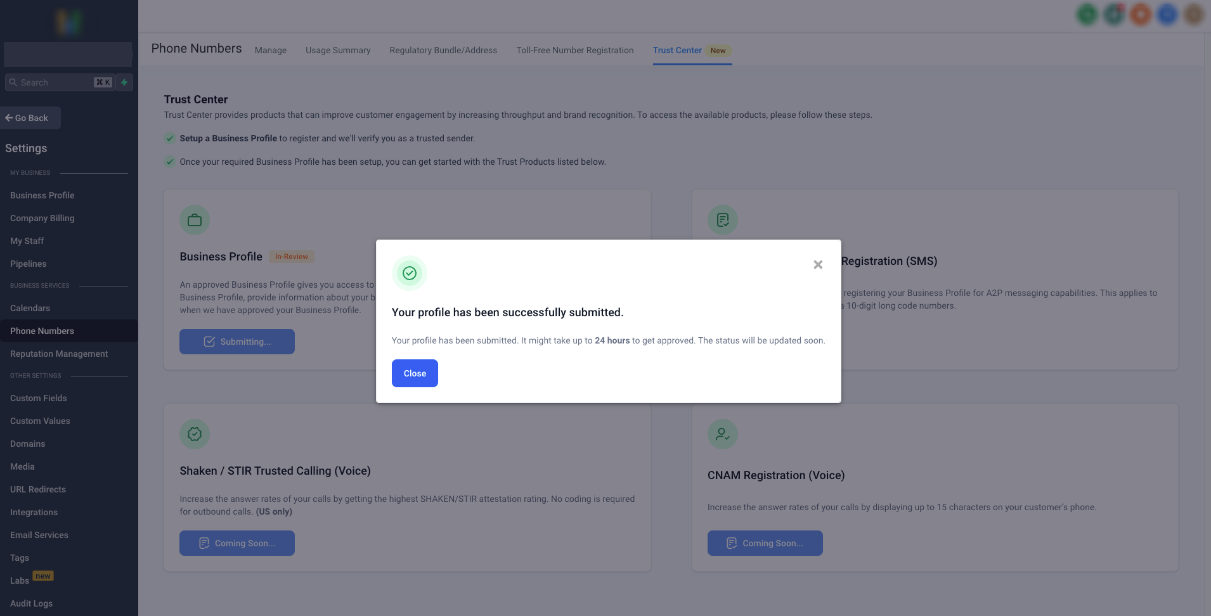
The status will be changed to "In-Review" and you will get a confirmation that "Your profile has been successfully submitted".
Below is an example of a successful submission:
Please Note:
You do not need to wait for this Customer Profile to be APPROVED before moving on to the Brand registration in Step 2. Brand submission will retroactively modify your Profile’s status.
2. Register your US A2P Brand
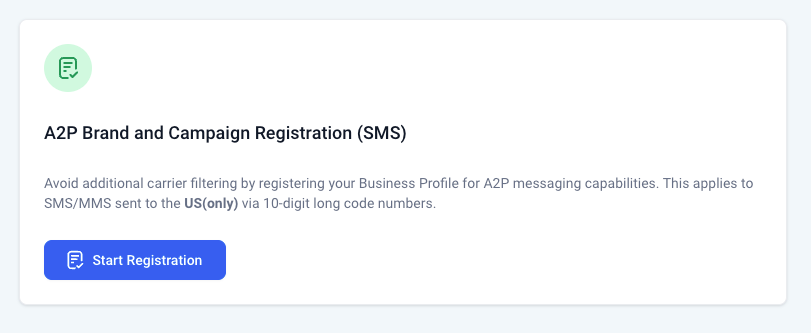
Next, register your newly created Business Profile for A2P 10DLC capabilities by creating a US A2P brand. This step will register your business for US A2P10DLC capabilities.
Click on the "Start Registration" Button:
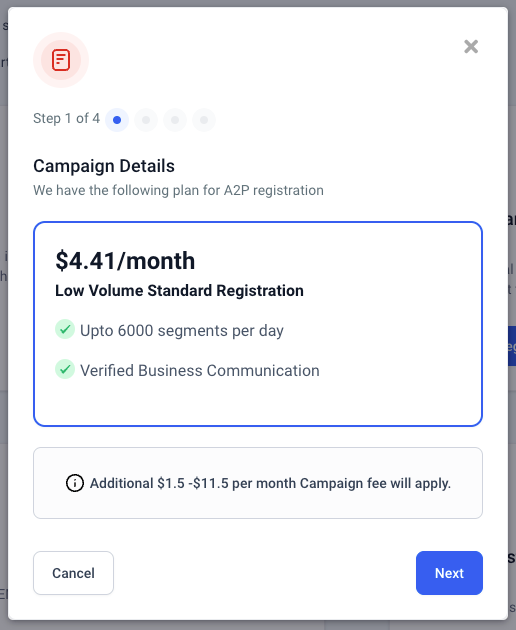
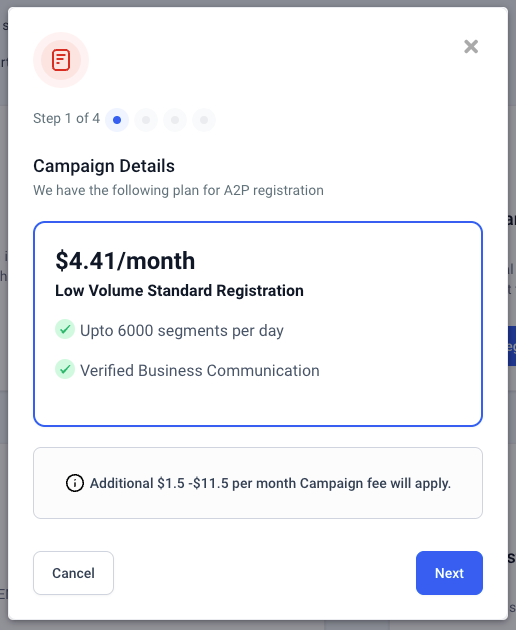
Step 1 - Check the brand registration details and click Next.
3. Fill in all the required fields for Campaign Registration
The next few steps would be to feed in all the required details around Campaign Registration.
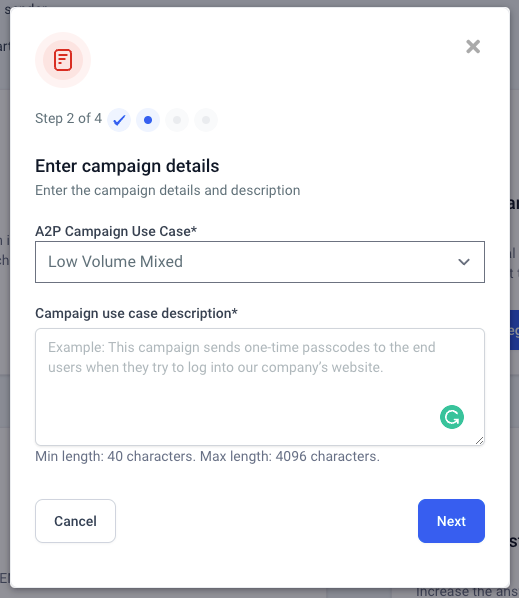
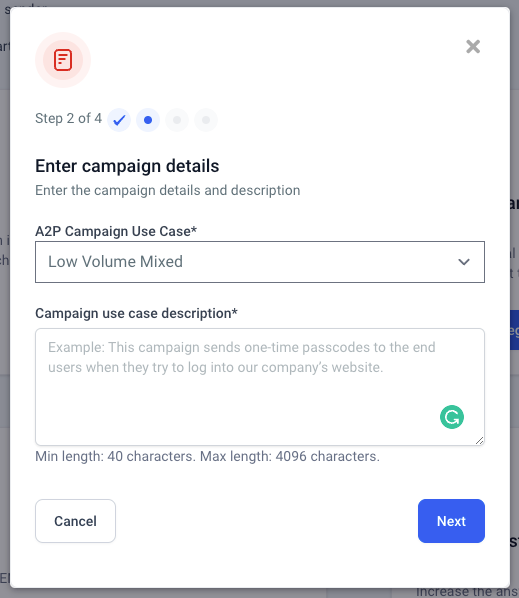
Step 2 - Select the Campaign Use Case and enter a description for the same.
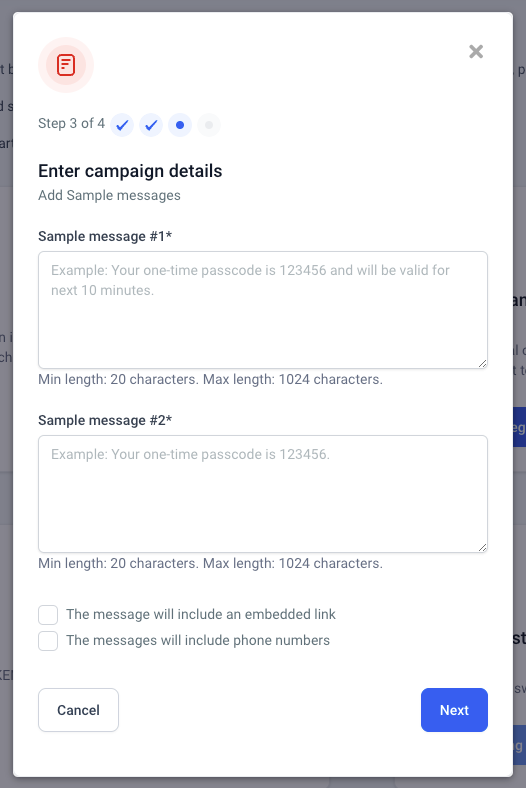
Step 3 - Provide Production Sample Messages and select if the hyperlink and phone number will be shown in the SMS.
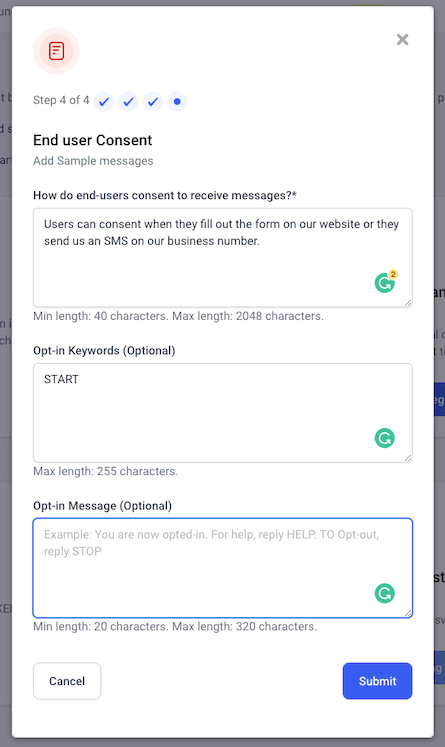
Step 4 - Provide details around end-user consents and opt-ins.
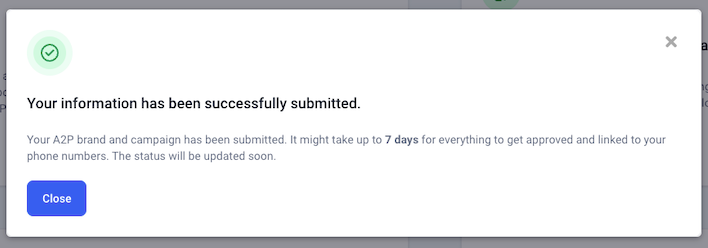
Once all the information is provided in the above 4 steps. Data will be submitted for A2P Profile, Brand, and Campaign Registration and you would receive the success information.

4. Business Profile, A2P Brand, and Campaign Registration Status
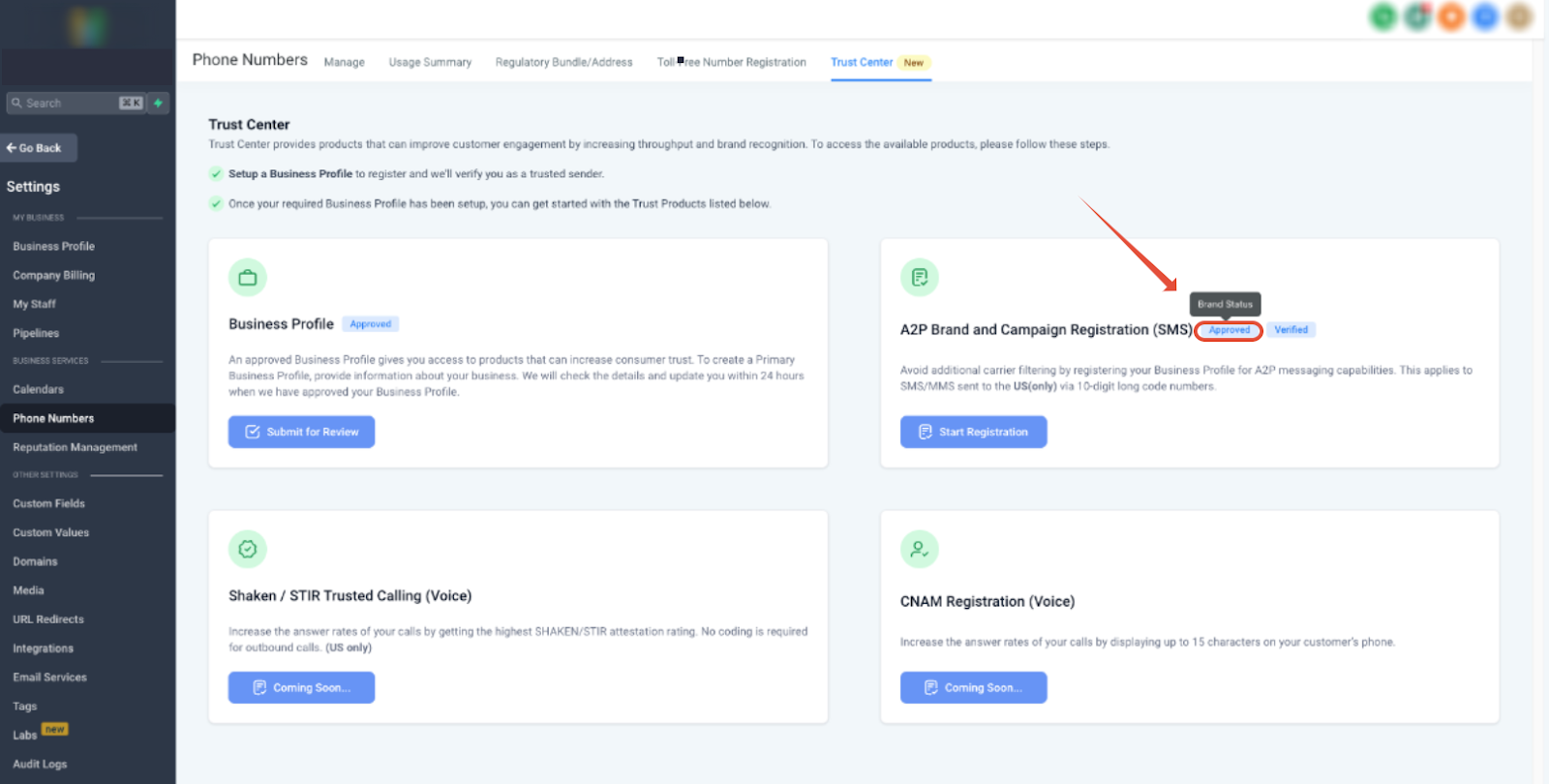
Once all the steps in the first 3 points are completed, the status for all the registries will be fetched and shown below:
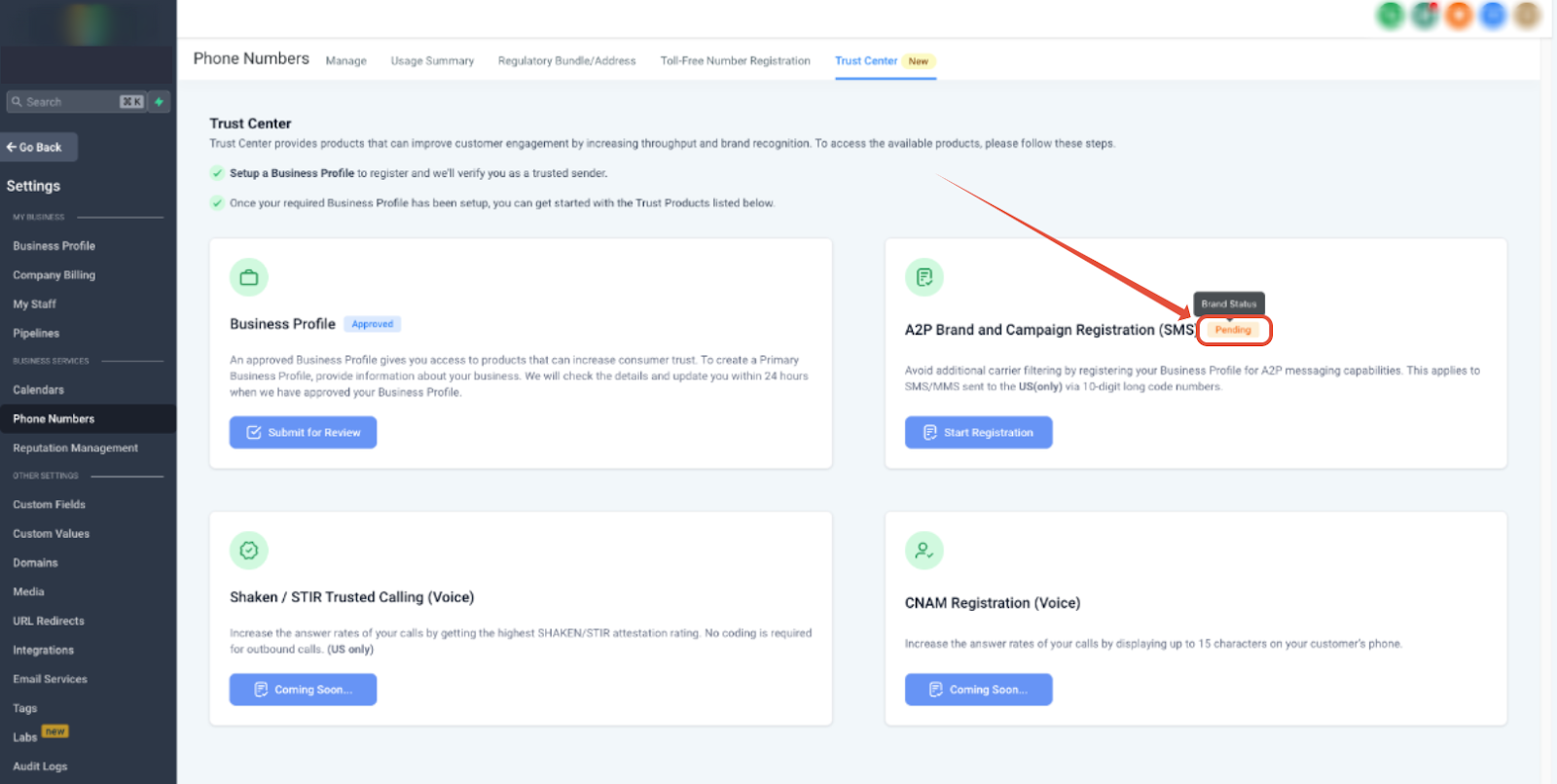
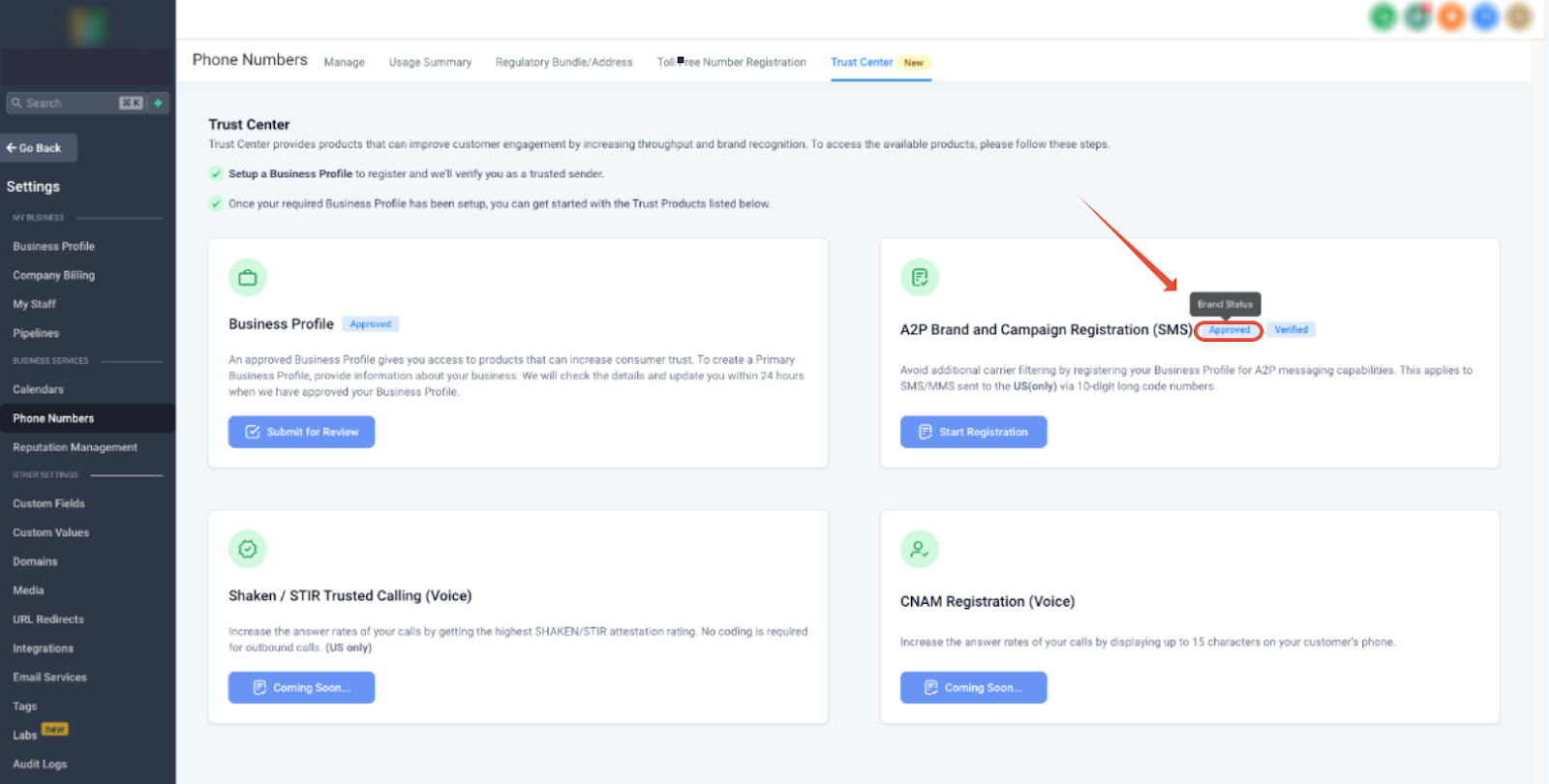
In this case, the Business Profile, A2P Brand, and Campaign all three are registered and Approved status.
5. Register for SHAKEN/STIR to avoid call being marked as SPAM
SHAKEN/STIR refers to a system in the United States that allows businesses to send Application-to-Person (A2P) type messaging via standard 10-digit long code (10DLC) phone numbers. This will help in avoiding the calls to show up as SPAM or getting filtered.
After submitting your Business Profile,you will be able to register for SHAKEN/STIR.
💰This is a free-of-cost service.
How to Register your numbers with SHAKEN/STIR❓
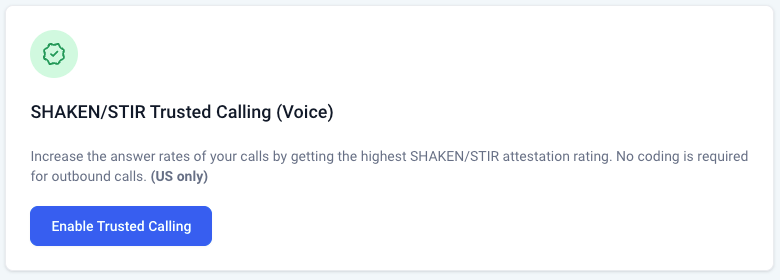
Click on the "Start Registration" Button:

Enter a friendly name for the profile, confirm the authenticity and click Submit.
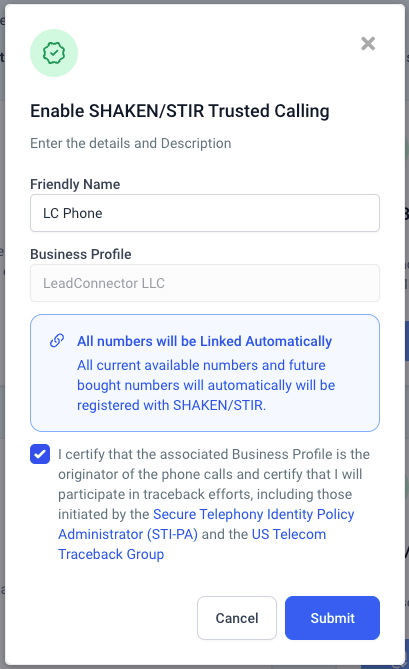
You will get the success message for the submission. The approval might take up to 4 days.
How will the numbers be linked to the SHAKEN/STIR Profile❓
All numbers will be Linked Automatically. All current available numbers and future bought numbers will automatically be linked with the registered SHAKEN/STIR.
Please Note:
You do not need to wait for this Customer Profile to be APPROVED before moving on to the Brand registration in Step 2. Brand submission will retroactively modify your Profile’s status.
2. Register your US A2P Brand
Next, register your newly created Business Profile for A2P 10DLC capabilities by creating a US A2P brand. This step will register your business for US A2P10DLC capabilities.
Click on the "Start Registration" Button:
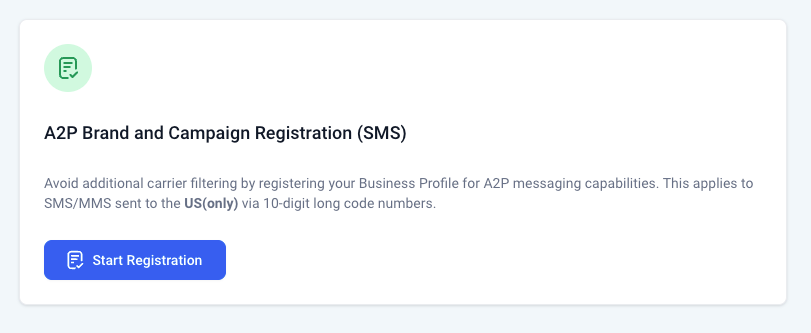
Step 1 - Check the brand registration details and click Next.
3. Fill in all the required fields for Campaign Registration
The next few steps would be to feed in all the required details around Campaign Registration.
Step 2 - Select the Campaign Use Case and enter a description for the same.
Step 3 - Provide Production Sample Messages and select if the hyperlink and phone number will be shown in the SMS.

Step 4 - Provide details around end-user consents and opt-ins.

Once all the information is provided in the above 4 steps. Data will be submitted for A2P Profile, Brand, and Campaign Registration and you would receive the success information.
4. Business Profile, A2P Brand, and Campaign Registration Status
Once all the steps in the first 3 points are completed, the status for all the registries will be fetched and shown below:
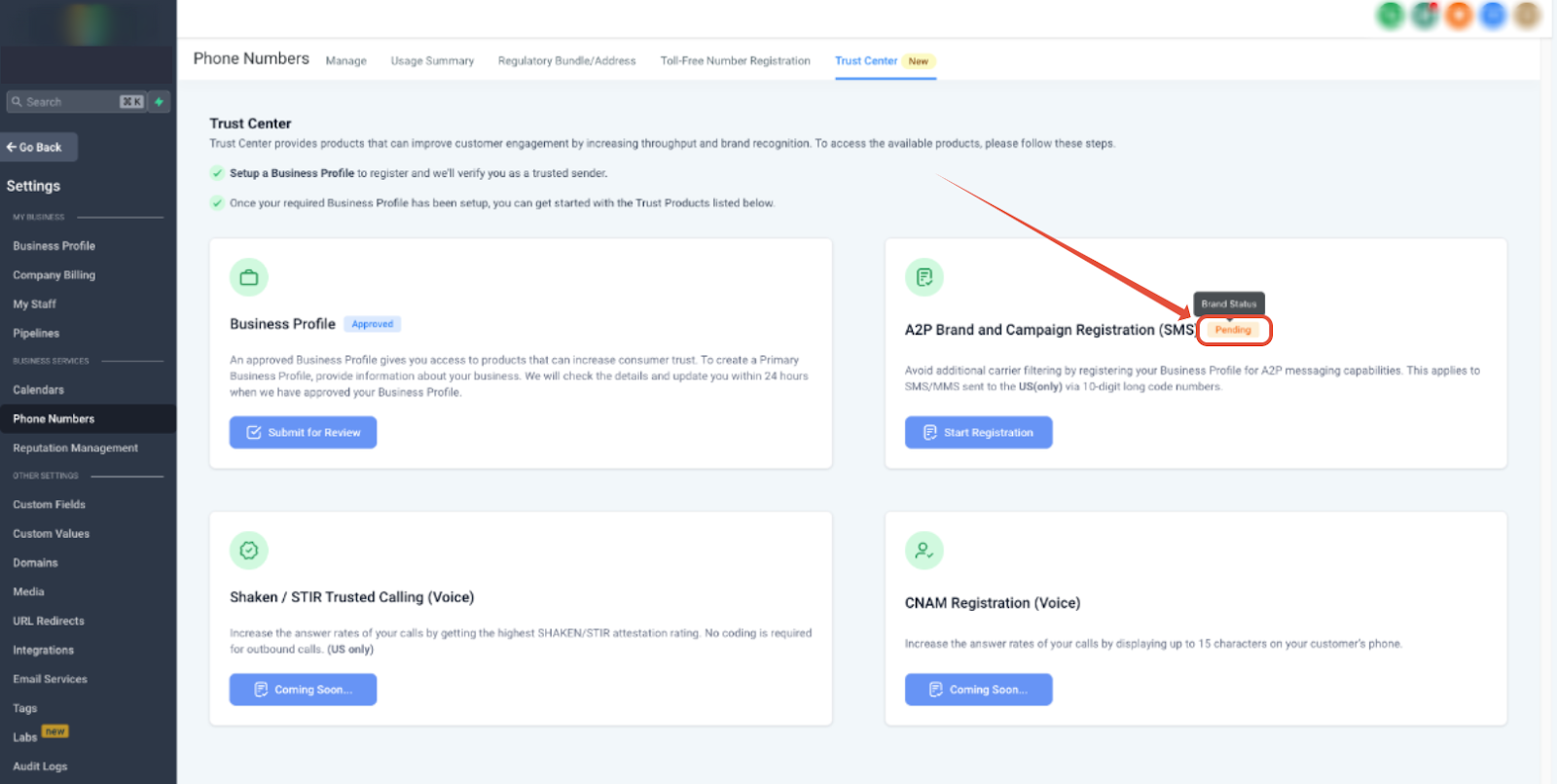
In this case, the Business Profile, A2P Brand, and Campaign all three are registered and Approved status.
5. Register for SHAKEN/STIR to avoid call being marked as SPAM
SHAKEN/STIR refers to a system in the United States that allows businesses to send Application-to-Person (A2P) type messaging via standard 10-digit long code (10DLC) phone numbers. This will help in avoiding the calls to show up as SPAM or getting filtered.
After submitting your Business Profile,you will be able to register for SHAKEN/STIR.
💰This is a free-of-cost service.
How to Register your numbers with SHAKEN/STIR❓
Click on the "Start Registration" Button:
Enter a friendly name for the profile, confirm the authenticity and click Submit.

You will get the success message for the submission. The approval might take up to 4 days.
How will the numbers be linked to the SHAKEN/STIR Profile❓
All numbers will be Linked Automatically. All current available numbers and future bought numbers will automatically be linked with the registered SHAKEN/STI